Understanding the Basics of Video Capture
In an age where digital content is at the forefront of communication, understanding the intricacies of video capture is essential for both amateurs and professionals alike. Video capture is the process by which video signals—be they digital or analog—are converted into a format that can be stored and edited, in addition to being displayed on various platforms. This article delves into the fundamental aspects of video capture, from its definition to the essential components involved in setting up an effective video capture environment.
What is Video Capture?
Video capture encompasses the methods through which moving images are recorded and converted into digital formats. This technology serves a diverse range of applications, including content creation, broadcasting, education, and even personal archival. The two primary methods are analog capture, which deals with older technology formats such as VHS, and digital capture, which takes advantage of modern high-definition cameras and files. The process results in files that can be manipulated, edited, and shared in various media.
Essential Components of a Video Capture Setup
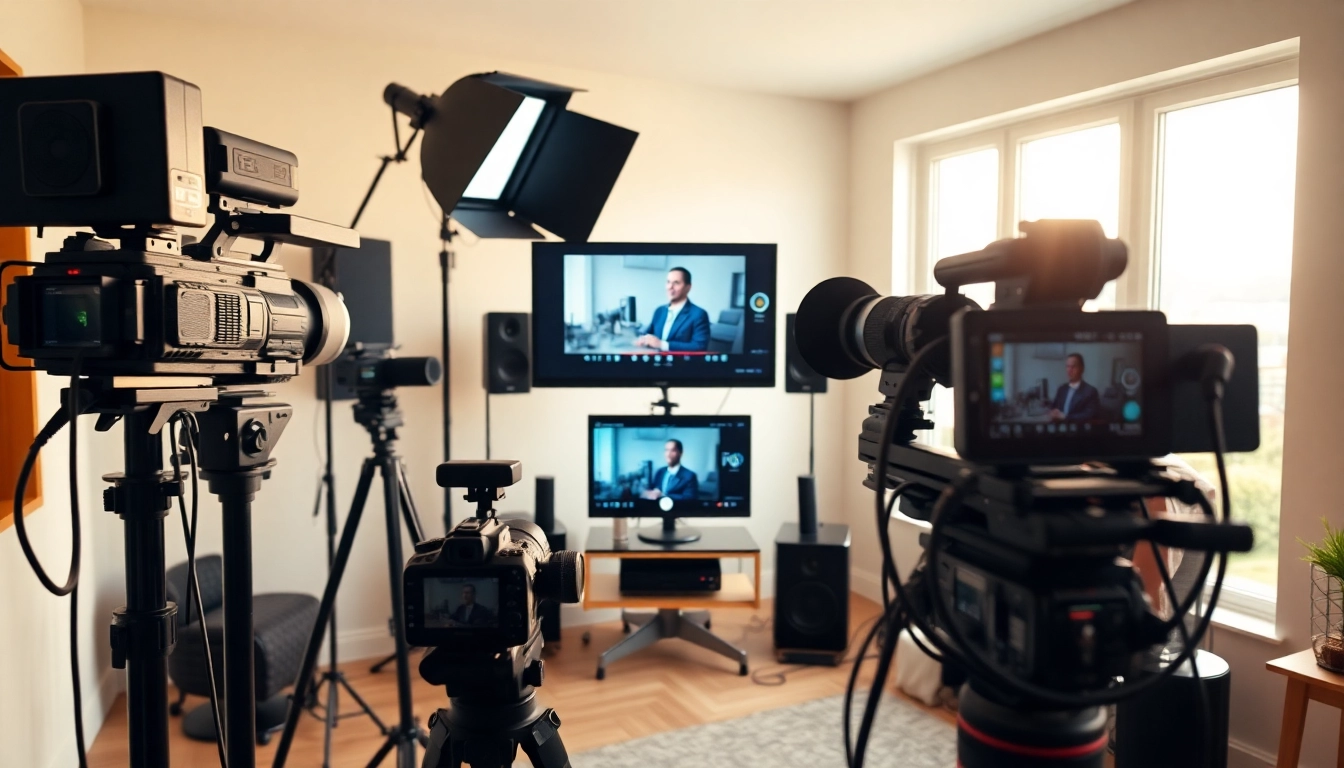
To achieve high-quality video capture, one must consider several components:
- Camera: The most critical component, determining the quality of the image and video resolution.
- Capture Card: This device captures the video signal from the camera and converts it into a format that can be recorded or streamed.
- Audio Equipment: Incorporating quality microphones is crucial as audio plays an equally significant role as visual elements.
- Lighting: Proper illumination creates a professional look, eliminating shadows and enhancing visual clarity.
- Editing Software: Post-capture, editing software allows for the enhancement, trimming, and exporting of video files.
Differences Between Analog and Digital Video Capture
Understanding the differences between analog and digital video capture can help determine the best setup for specific needs. Analog video capture involves older technologies that transmit signals in waveform format and requires devices such as VCRs or camcorders. In contrast, digital video capture uses modern technology that encodes the signal into binary data, allowing for superior quality, storage, and editing options. While digital formats offer enhanced convenience and features, knowing how to capture analog media is also essential for preserving legacy content.
Choosing the Right Equipment for Video Capture
Choosing appropriate equipment is crucial for maximizing the quality and effectiveness of your video projects. Equip yourself with knowledge about essential features, suitable cameras, and audio considerations to ensure a successful video capture setup.
Key Features of Video Capture Devices
When selecting video capture devices, some invaluable features to consider include:
- Resolution: High-definition capture is pivotal for professional-quality output.
- Bitrate: A higher bitrate ensures better video quality by preserving image detail.
- Frame Rate: Choosing a device that supports your desired frame rates ensures smooth motion in your videos.
- Compatibility: Ensure the device is compatible with your computer and editing software.
- Input/Output Options: Multiple connectivity options (HDMI, USB, etc.) provide flexibility for varying types of equipment.
Recommended Cameras for High-Quality Video Capture
Investing in quality cameras can drastically improve the output of your video capture. Here are several types of cameras to consider:
- DSLR and Mirrorless Cameras: Great for high-quality images, often favored by professionals for their adaptability.
- Camcorders: Specifically designed for video capture, offering extended recording times and convenient features.
- Action Cameras: Perfect for dynamic, on-the-go videos, supporting high-resolution capture.
Audio Equipment Considerations in Video Capture
On many platforms, viewers place equal emphasis on audio quality as they do on video. High-quality audio can make or break your final product. Options include:
- Lavalier Microphones: Ideal for interviews, as they clip onto clothing and capture sound at close range.
- Shotgun Microphones: Excellent for capturing focused audio from a particular direction, minimizing background noise.
- Condenser Microphones: Great for voiceovers and studio settings where capturing high-fidelity audio is essential.
Setup and Configuration for Optimal Video Capture
Having the right equipment is just the beginning. Proper setup and configuration are key to ensuring high-quality video capture. This section covers essential aspects of studio lighting, equipment positioning, and testing your setup before recording.
Studio Lighting Techniques for Video Capture
Lighting plays a vital role in the aesthetics of your video. Employing a three-point lighting system typically yields favorable results:
- Key Light: The primary light source; it is placed in front of the subject and slightly to one side.
- Fill Light: Positioned opposite to the key light, it softens shadows created by the key light.
- Back Light: Placed behind the subject, it helps separate the subject from the background.
Positioning Your Equipment for Best Results
Proper positioning of your camera and audio equipment significantly impacts the captured content’s quality. Ensure that the camera is at eye level with the subject, which establishes a natural rapport with the audience. Using tripods or stabilizers can eliminate unwanted vibrations and maintain focus throughout the recording.
Testing Your Setup Before Recording
Before diving into the recording, conduct thorough testing of the entire setup. Check aspects such as audio levels, lighting balance, and framing. This practice helps identify any issues early on and saves valuable time and effort during the actual recording.
Editing and Post-Production for Video Capture
Once the video is captured, editing is where the real magic happens. Implementing post-production techniques can elevate your project and make it more engaging for viewers.
Essential Video Capture Software Options
There are numerous software options available for video editing, each with unique features suited for various skill levels:
- Professional Software: Programs like Adobe Premiere Pro and Final Cut Pro X cater to seasoned videographers who need advanced editing tools.
- User-Friendly Software: Platforms like iMovie and Filmora allow beginners to create polished videos with easy-to-navigate interfaces.
- Free Options: Open-source software like DaVinci Resolve provides powerful editing capabilities without a financial commitment.
Editing Techniques to Enhance Your Video Capture
Effective editing can greatly enhance your final product. Consider techniques such as:
- Cutting: Trim unnecessary clips to maintain viewer engagement and eliminate awkward pauses.
- Effects: Use transitions and color grading to enhance the visual appeal.
- Audio Mixing: Balance audio levels between different clips to create a harmonious sound experience.
Exporting and Sharing Your Finished Product
After editing, exporting your video in the appropriate format ensures compatibility across various platforms. Common formats include MP4 for its versatility and MOV for high-quality footage. Sharing options include posting on social media, uploading to personal websites, or distributing through email newsletters.
Best Practices for Video Capture and Streaming
To maximize the effectiveness of your video capture and streaming efforts, adhering to best practices is essential. Familiarity with common pitfalls and proven techniques helps elevate your content quality.
Common Mistakes in Video Capture to Avoid
Awareness of frequent mistakes can lead to better planning and improved results:
- Neglecting Sound Quality: Poor audio often disappoints viewers, so prioritize high-quality sound capture.
- Ignoring Background Elements: Cluttered or irrelevant backgrounds can distract from the subject matter; maintain a clean and relevant setting.
- Underestimating Editing Time: Rushing through the editing phase can result in unsatisfactory quality. Provide ample time for thoughtful editing.
Tips for Live Streaming Video Capture Events
Live streaming presents unique challenges and opportunities. To ensure successful broadcasts, consider the following tips:
- Test Internet Speed: A stable and high-speed internet connection is essential for seamless streaming.
- Engage with Your Audience: Interaction via live chat elevates the viewer experience, making them feel involved.
- Have Backup Plans: Always prepare contingency plans for equipment failures, such as having backup batteries and an alternative connection method.
Measuring Success in Your Video Capture Efforts
Track the success of your video capture initiatives by monitoring viewership metrics, audience engagement levels, and feedback. Utilize analytics tools from platforms to gauge video performance and determine areas of improvement for future projects.