
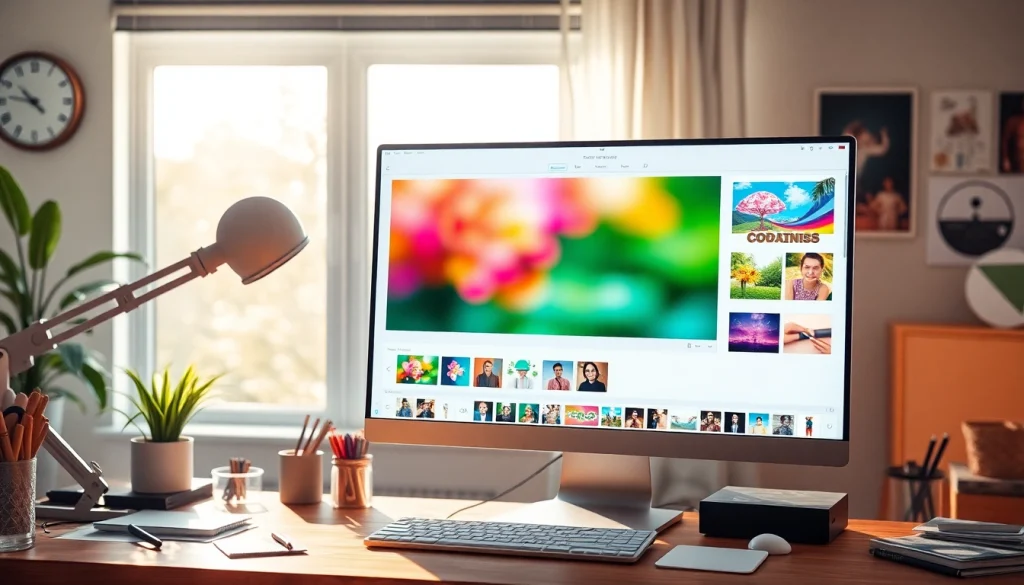
Understanding the Square Image Concept
In the digital age, images play a crucial role in communication, especially on social media platforms. One of the most popular formats is the square image, which offers uniformity and compatibility across various mediums. Square images ensure visual consistency and are optimized for different social media platforms, making them an essential tool for both personal and professional use. Let’s dive deeper into what defines a square image, its importance, and some common misconceptions surrounding square cropping.
What Defines a Square Image?
A square image refers to an image that has equal width and height, creating a perfect 1:1 aspect ratio. This format is visually appealing and ensures that the focal point of the image remains centered, making it ideal for a variety of applications ranging from profile pictures to advertisements. In essence, it transforms rectangular views into a balanced format that attracts the viewer’s attention more effectively.
The Importance of Square Images in Social Media
Social media has revolutionized how we share and consume content, and square images have become the gold standard for many platforms. Sites such as Instagram, Facebook, and Twitter favor this format, as it provides a clean, organized aesthetic. Using square images can enhance engagement and visibility, as they occupy more space in a user’s feed and draw the eye in a crowded digital landscape.
Common Misconceptions About Square Cropping
Many users believe that making a square image requires cropping out essential parts of the photo. However, that’s not always the case. There are various methods to create square images without losing valuable content, such as adding borders or backgrounds. It’s crucial to understand these techniques to maximize image quality and impact while maintaining the essence of the original photograph.
Step-by-Step Guide to Making Square Images
Creating square images can be a straightforward process if you follow the right steps. Whether you’re a photographer, a social media manager, or just a casual user, transforming your images into perfect squares is easier than ever. Here’s how to do it effectively.
How to Upload Your Image for Instant Transformation
To begin, select an image you want to convert. Most online tools provide a simple interface for this step. Just drag and drop your image or click to upload it. Once your image is uploaded, you can easily manipulate it into a square format, ensuring that you maintain the focus on the desired subject.
Choosing the Right Method: Crop vs. Blur Backgrounds
When converting your images, you will typically encounter two primary options: cropping or using a blur background. Cropping allows you to retain the most important elements of the image, but it may sacrifice some peripheral details. Conversely, using a blur background can enhance the overall composition by filling the empty spaces while ensuring that the image remains intact. Consider the purpose of your image when choosing between these options.
Previewing and Saving Your Final Square Image
Once you have applied your preferred method, the next step is to preview the image. Most tools provide an instant preview feature, allowing you to see how your square image will look before saving it. If everything looks good, you can save your final product in high quality, choosing between formats like JPEG, PNG, or PDF, depending on your needs.
Enhancing Your Square Images with Creative Features
Transforming an image into a square format is just the beginning. To make your images stand out, you can enhance them with various creative features. Here’s how to elevate your square images even further.
Adding Blur Backgrounds and Solid Colors
To add depth and interest to your square images, consider integrating blur backgrounds or solid colors. A blurred background can create a soft, appealing effect that helps to accentuate the main subject. Alternatively, a solid color background can provide contrast and make your image pop, drawing attention directly to the subject without distraction.
Applying Photo Effects for a Unique Touch
Using filters and effects can significantly alter the mood of your square images. From vintage styles to modern aesthetics, experimenting with different effects can help you find the right vibe for your images. Ensure that the effects you choose complement the content of the image and do not overwhelm it.
Resizing and Adjusting Images for Perfect Composition
After cropping or applying a background, resizing and adjusting your square images is essential for achieving perfect composition. Make sure the subject is properly aligned and that the image flows well visually. Utilizing tools that offer guidelines for positioning can be beneficial, particularly for beginners.
Best Practices for Using Square Images
When using square images, it’s essential to employ best practices to maximize their impact. Here are several strategies to ensure your square images resonate with your target audience.
Utilizing Square Images for Instagram and Social Media
Square images are particularly effective on Instagram because of the platform’s layout. To maximize engagement, select high-quality images that communicate your brand’s message clearly. Use captions that complement the visual content, and consider incorporating relevant hashtags to increase visibility.
Strategies for Engaging Audiences with Square Photography
To engage your audience with square photography, tell a story through your images. Create a series of related square images that form a cohesive narrative, enticing viewers to follow along. Utilize color schemes that align with your brand identity, and don’t hesitate to leverage user-generated content by encouraging your audience to share their square images with a specific hashtag.
Case Studies: Successful Brands Using Square Images
Several brands have effectively utilized square images to elevate their marketing efforts. For instance, companies like Nike and Starbucks use square images on their social media channels to showcase products in engaging ways. By analyzing their approach, emerging brands can glean valuable insights into how to effectively use square images to boost brand visibility and customer engagement.
Future Trends in Square Image Editing
As technology evolves, so too does the realm of image editing. With 2026 on the horizon, several trends are emerging that could shape how square images are created and utilized.
Emerging Features to Look for in 2026
Future image editing tools may incorporate advanced features such as AI-driven enhancements, which automatically optimize images based on context. Expect to see features that allow for real-time adjustments based on user preferences, making the process of creating striking square images even more intuitive and efficient.
The Role of AI in Image Transformation
Artificial intelligence is expected to play a significant role in the future of image editing. These technologies could analyze millions of images to provide suggestions for optimal cropping, background styles, and effects, allowing users to create visually stunning square images with minimal effort.
Predictions for the Evolution of Square Image Tools
Looking ahead, we can anticipate that square image tools will become increasingly user-friendly, with more integrated features to enhance user experience. As the demand for visually appealing content continues to grow, image editors will likely prioritize simplicity and effectiveness, enabling users to produce high-quality content without advanced technical skills.